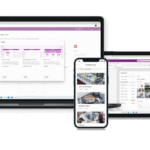




Professional service firms live and die by their processes. When files, emails and approvals are scattered across disconnected tools, you don’t just lose time—you lose accuracy, visibility, and client confidence. A Digital Workspace Transformation connects your everyday tools (SharePoint, Teams, Outlook, Power Platform) into one coherent, secure ecosystem so your team can move faster with fewer mistakes.
Why the “digital workspace” matters now
Professional service firms are operational engines. Every hour lost to hunting files, reconciling email threads, or rebuilding the same report is an hour not spent advising clients or closing the next brief. A digital workspace transformation isn’t about buying new tools; it’s about connecting and organising what you already use — SharePoint for structure, Teams for collaboration, Outlook for communication, and the Power Platform for automation — so your people can move quickly without cutting corners. When these parts operate as one, work becomes traceable, repeatable, and noticeably quicker.
What transformation actually looks like in practice
At its core, the transformation replaces scattered behaviour with a consistent way of working. SharePoint becomes the single source of truth for documents, with clear information architecture, sensible permissions, and metadata that makes content discoverable. Teams stops being a chat silo and becomes the operational hub: each client or project has a repeatable channel pattern, with tabs for Files, Tasks, Approvals, and (when needed) a lightweight Power App for tracking. Outlook is still the front door for clients, but incoming attachments and threads are filed to the right place automatically, not buried in personal inboxes. None of this is flashy; it’s practical housekeeping that pays off daily.
The first tangible change is naming and structure. Decide how clients, engagements and matters are named, how folders are laid out, and which fields (Client, Stage, Manager, Due Date) describe every document. Agree the pattern once, apply it everywhere, and your search results finally start to make sense. The second change is to move decisions and artefacts out of private spaces and into shared ones. If the decision lives in a DM or an inbox, it’s invisible; if it lives in the project channel thread with the file beside it, it’s part of the record.
Design principles that keep you on track
Good transformations are boring on purpose: predictable, documented, and easy to follow. Start with outcomes — what decisions do partners and managers need to make faster — and design backwards. Centralise structure while decentralising execution: one clear architecture that teams can operate within without asking permission. Automate work that doesn’t need judgement. Secure by default with least-privilege access. And measure the change so you know it’s working, not just new.
A few places where a short, opinionated stance helps:
- Prefer metadata and views over deep folder tunnels.
- Use role-based groups for permissions, not individuals.
- Keep the first version of any automation painfully simple.
Building the foundation: SharePoint, Teams, Outlook and the Power Platform
SharePoint is the spine. Create practice-area sites (Brokerage, Accounting, Consulting, Legal) with libraries for active and archived work. Introduce content types and templates for recurring documents — engagement letters, checklists, packs — and apply retention policies so compliance happens by default. Add views that matter to humans: “Due this week”, “Awaiting approval”, “Missing documents”.
Teams is the front-of-house. Standardise a channel pattern so each client or project has Posts (for decisions), Files (backed by SharePoint), Tasks (Planner/To Do), Approvals, and a “Tracker” tab when required. This puts conversations, files and workflow steps in a single place. Establish etiquette: if it affects the project, it lives in the channel, not in a private chat. That one rule prevents most of the “where did we say that?” moments later.
Outlook connects cleanly when you control filing. Set simple rules: when an email arrives with documents for a known client or matter, it gets filed to the right SharePoint location and the channel gets a note. When the team sends standard requests or acknowledgements, they use templates so messages are consistent and fast. Nobody needs to trawl someone else’s mailbox to figure out what happened.
The Power Platform stitches gaps. Power Automate handles hand-offs that humans shouldn’t have to remember: when a file lands in “Required Documents”, tag the owner, set a due date, and post to the channel; each Friday, compile a digest of what’s missing. A compact Power App embedded in Teams becomes the tracking surface when a spreadsheet starts to hurt — just the fields you truly need: status, dates, owners, a mini document checklist, and a couple of notes fields. Dataverse gives you structure without turning every request into a custom build.
Adoption and change that actually stick
Change lands when it feels obvious. Create two-page playbooks with screenshots for the few tasks people do all the time — “start a project”, “file emails”, “request approvals”. Offer short, role-based sessions instead of one long lecture. Nominate a champion per team who can propose tweaks quickly; the ability to incorporate small improvements week to week builds trust faster than a perfect design on day one.
Measuring whether it worked
Transformation is only real if it saves time and reduces errors. Track how long common cycles take (document request to receipt; draft to approval), how much time people spend compiling status updates, and how often the wrong version surfaces. You don’t need perfect telemetry — directional numbers over a month will tell you if you’re moving the needle. Expect to see less rework, fewer “where is that file?” messages, and more on-time delivery.
Pitfalls to avoid
The usual traps are over-engineering and under-communicating. Don’t design for every exception before you ship; get 80% right and document the rare cases. Don’t grant broad access “just in case”; it always bites later. Don’t skip naming conventions or metadata; folders alone won’t scale. And don’t assume people will guess the new way — show them, then reinforce gently.
Where to start this month
Pick one practice area, one client segment, or one work type. Define the folder metadata and views, create the Teams pattern, and automate the smallest hand-off (a post on file upload, a weekly digest). Prove it works in four weeks, then replicate the pattern. The compounding effect is real: small, consistent improvements make next quarter look very different to last.